At a glance
- Product
- Bookloft, a personal library for people with more books than they can remember. Octavia, its AI librarian, answers from the books you own, and a phone video of a bookcase becomes a catalog you can search by room and shelf.
- My role
- Product lead for what the product knows (what you own), what the AI may do, and how books get in without typing.
- Timeframe
- Ongoing.
- Status
- A working web app, shown here on a sample library. Telling you about new books is designed, not built.
OutcomeA web app where one box answers “do I own this?” and questions to Octavia, and where filming a bookcase produces a list you check before anything is added.
- Octavia answers only from your catalog and says when she cannot see something.
- Nothing is added until you check the list, and unsure reads start unticked.
- “Do I own this?” is an instant check against your own catalog and works with AI switched off.
Reports at the end of the page are what the prototype proved and the quality and review notes.
The problem and who has it
Reading apps keep track of what you read. Bookloft knows what you own, meaning what is on your shelves, where it is and what is missing. It is built first for people with hundreds of books who have bought the same one twice. Bookloft runs in your browser, including on your phone in a bookshop.
The collector in a bookshop
You are holding a book and can’t remember whether it is already at home, perhaps under a different title. You want a yes or no before you reach the till, and the shelf it is on if the answer is yes.
The owner of a house full of shelves
Nobody types in a whole library of books. You want to walk along a bookcase with a camera, check a list, and afterwards be able to find any book by room and shelf.
Someone moving or thinning out
You want to know which books to keep, sell or give away, with photos kept beside each book.
Reading apps keep track of what you have read, not of what you own, meaning what is on your shelves, where each book is and what is missing. People with hundreds of books buy the same one twice, and standing in a bookshop cannot say whether a book is already at home.
A catalog would fix that, but nobody types in a whole library of books. Bookloft is built around the physical books you own, with a librarian who answers from them and a catalog that admits doubt instead of guessing. That leaves two things to get right, which are getting the books in without typing, and answering from them without making things up.
Goals and how success is measured
Bookloft has three goals, and the last two are the two things the problem leaves to get right.
Know what you own. A yes or no in a bookshop, with the shelf it is on, before you reach the till.
Get the books in without typing. Film a bookcase, check the list, and the catalog exists.
Answer from the books without making things up. A catalog that admits doubt, and a librarian who says when she cannot see something.
| What is measured | How it is checked | Where it stands |
|---|---|---|
| Does a book already exist in the library | An instant check against your own catalog for close spellings, other titles of the same book, the ISBN, the wishlist and copies you have lent out | Works end to end in the browser, with AI switched off |
| Are spines read correctly | Each read carries a confidence label and the words that were seen, and the person checks the list before anything is added | Accuracy on real home bookcases is not claimed. A whole bookcase filmed on a phone has not been measured. |
| Does Octavia stay inside the catalog | She sees only what a question needs, and the rule never to suggest a book you own is written in her instructions and enforced a second time by the app | Built. One smoke test with the real model has run, and it is not an accuracy figure. |
| Does the app work end to end | Unit checks and end-to-end checks run headless at desktop and phone widths, with a sweep for sideways scrolling | Passing on the sample library |
My role and the decisions I made
I owned the product, including what it knows, what the AI is allowed to do and how books get in without typing. The decisions below are the ones that shaped it, and several are about where not to use AI.
What I owned
- The idea that the product starts from what you own, not from what you have read.
- The rules Octavia works under. She answers from the catalog, sees only what a question needs and never suggests a book you already have.
- The scan-then-check flow, so nothing is added without the person.
- Which questions the catalog answers without AI.
- What the product says about its own limits.
Decisions
Own the shelves, not the reading log
Reading trackers are built around what you have read. Bookloft is built around the physical books you own, and starts from what you own.
Octavia doesn't guess past your catalog
She answers from what you own and says when she can’t see something. She is an AI librarian, not a person.
Nothing is added until you check
Every scan, photo and import ends in a list you review. Unsure reads start unticked and show the words that were read, so you can correct or skip them.
Don't use AI where the catalog can answer
Questions like where is it, do I own it, what is by this author and what is lent out are answered from the catalog. “Do I own this?” is an instant check against your own catalog, and it works with AI switched off. It checks close spellings, other titles of the same book, the ISBN, your wishlist and copies you have lent out, and it warns you about a duplicate as you add one.
A catalog that admits doubt
Confidence is shown on every read, a match is a candidate and not always your copy, and a retitled edition answers “you own this” once the two titles are linked.
Values are estimates, said plainly
The collection’s value is arithmetic on your catalog, not AI, and it is labelled as an estimate. For a rare or valuable book an appraiser decides, and Bookloft keeps the details, photos and receipts an insurer asks for together. The value view shows what the collection would cost to replace, what copies sell for, what you would keep if you sold them yourself and what a dealer might pay for the lot. Printings and dust jackets are not checked title by title. Insurers ask for author, title, edition, condition, photos and receipts, and for valuable items a written appraisal; Bookloft keeps the first six together and the appraisal is still a person’s job.
It keeps the evidence
Each scanned book keeps its shelf photo. You can attach photos and receipts to a book and keep dated records of the whole catalog.
It helps you thin out
A declutter view sorts books into keep, sell or donate, one decision per book.
Everything can be undone, and your data is yours
Bulk edits, deletes and imports can be undone back through the recent actions. You can take your catalog out at any time, and when covers and details are fetched from public book databases only titles and authors are sent.
How it was made
Bookloft was made in the order below. Each step names what it produced, and only steps the product’s own notes support are listed.
- 1DiscoverA single-user prototype I built and ran on my own library showed what worked, including a video scan of a shelf, a details match across public sources, a value model and Octavia's prompts.
- 2RequirementsWhat a product still needs beyond the prototype includes accounts, a private library per account, five ways to add books, and export and restore.
- 3PrioritizeTwo things to get right, namely getting the books in without typing and answering from them without making things up.
- 4DesignOctavia sees only what a question needs; every scan, photo and import ends in a list the person checks.
- 5BuildA web app with a local server and a browser-only preview, and a hosted backend written but not yet run.
- 6CheckUnit and end-to-end checks at desktop and phone widths, three rounds of simulated reviews for design, end users and prospective buyers, and one smoke test with the real model.
- 7Next stageTelling you about new books is designed, not built, and a whole bookcase on a phone has not been measured.
The solution, step by step
1. Do I own this?
The first screen answers the question people ask in a bookshop. Type a title and get a yes or no with the shelf it is on. The check looks at close spellings, other titles of the same book, the ISBN, your wishlist and copies you have lent out, and it works with AI switched off.
Do I own this?
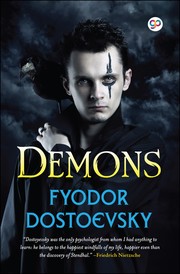 Yes, you own itDemons by Fyodor Dostoevsky, in Living room · Bookcase A / Shelf 3.Matched another title for the same book.
Notice. A few letters are enough, and a retitled edition still answers yes once the two titles are linked.
2. Ask Octavia
Type a question where you would search. Octavia, Bookloft’s AI librarian, answers from your catalog in a few sentences, names the book she means, and tells you when she can’t see something. Questions go in the same box as “do I own this?”.
Octavia also makes picks, and each pick comes with a reason. The same box handles the questions that do not need AI, so a plain “where is it” never waits on a model.
Bookcase B, Shelf 3

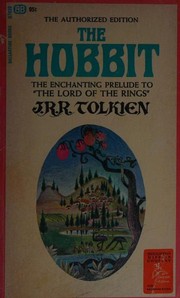
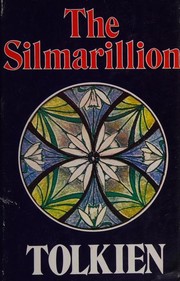
Notice. The answer names a book from your own shelves and the shelf it is on, not a book from outside your catalog.
- Answers from what you own. Octavia answers in a few sentences from your catalog, with your reading status and ratings included.
- Says when she doesn’t know. If the catalog doesn’t say, she tells you she can’t see it. She does not guess beyond your shelves.
- Sees only what a question needs. Titles, authors, categories and reading status. Shelf locations only when you ask where something is. Your notes and orders are never sent.
- Never a book you already have. She does not suggest a book you own, have on order or have on your wishlist. The rule is in her instructions, and the app enforces it a second time.
- The next in a series, and the gaps. The next book in a series you have started, and the titles missing from sets you already own.
3. Film the shelf, check the list
Film a bookcase on your phone and upload the video. Bookloft keeps the sharpest frames, reads every spine and merges what it saw into one list for you to check. Nothing is added until you say so.
Notice. The pan is slow and one shelf at a time, then every spine is read and matched.
It keeps the sharp frames
Bookloft takes frames from the video, then drops the blurry ones and the near-duplicates.
It reads the spines
The frames are read a few at a time for titles and authors. One rule is written into the reader’s instructions, never to invent a book.
It merges what it saw
A slow pan shows each book in several frames. Repeat sightings are folded into one book, and two copies standing side by side stay two.
It labels its confidence
High means the title and author were both read clearly. Medium means the author was worked out. Low means a partial read, and each row shows how many times the book was seen and the words that were visible.
You check the list
Low-confidence reads start unticked, and so do books you may already own. Nothing is added until you say so.
Each book keeps its shelf photo
Every book you add keeps the frame of the shelf it was on. The video itself is deleted once the frames are cut.
Shelves
Where every book lives: room, bookcase and shelf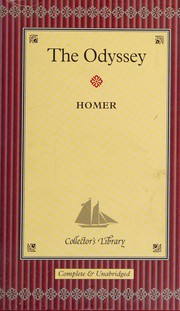







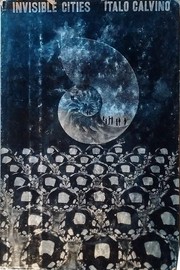

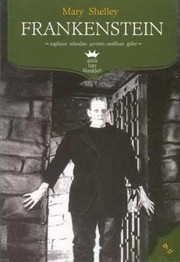
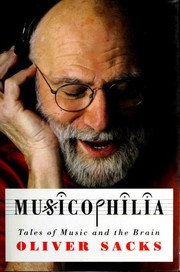




Notice. Books are sorted into your library, and the unsure reads are held for you to check.
Filming tips
- Hold the phone sideways. Landscape fits more of each spine.
- Go slowly. One shelf at a time, a moment for each book.
- Use even light. Glare makes spines hard to read.
- Tall shelves. Make two passes.
4. Your library, once it is in
Once the list is checked every book keeps the shelf photo it was found on, and you can find any book by room and shelf, by title or by author.
Library
Every book, on its shelf


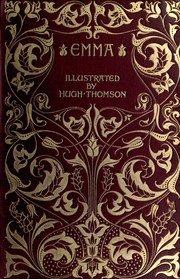



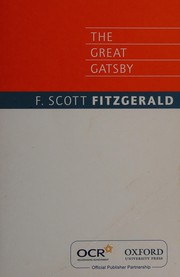
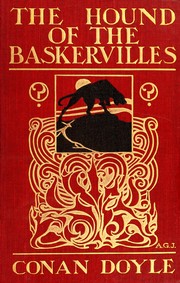

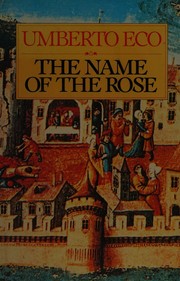

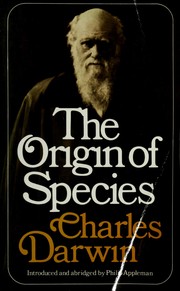
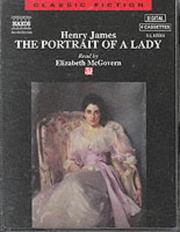
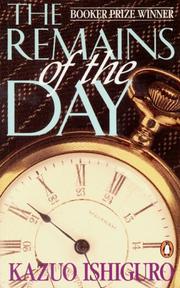
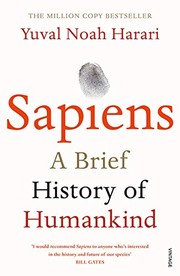
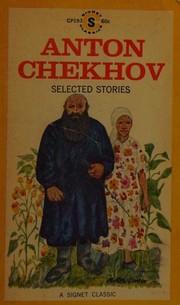
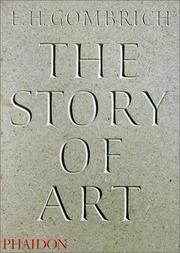

Notice. The library filters to one bookcase.
Every book keeps the shelf photo it was found on, so the library can show where a book sits.
Questions that do not need AI, such as where a book is or what is by this author, are answered from the catalog itself.
Publisher, year and ISBN are looked up in public book databases, and you review them before they are saved. The other ways to add books use the same review. These are a photo of one shelf, a photo of a single book for old books that have no barcode, a barcode, or an imported list from a reading app.
Artists
Authors in your library, most books first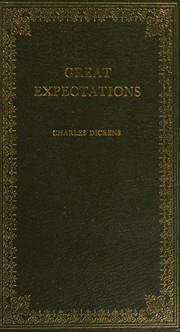
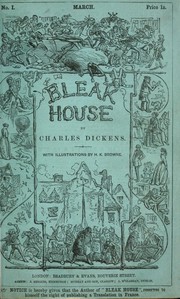
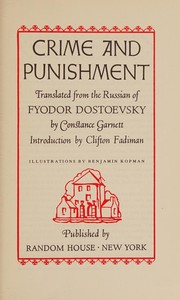



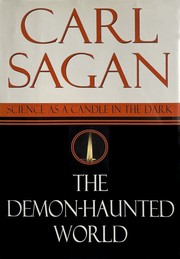













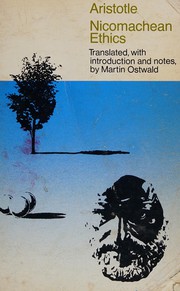

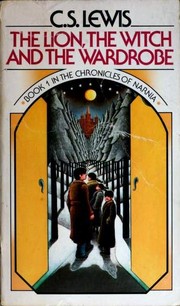
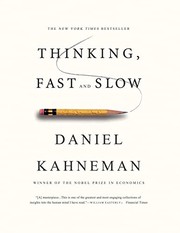

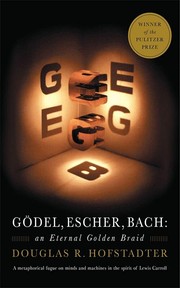
Notice. The authors view shows which authors you collect and how much of each you own.
Insights, the fifth core feature
Insights shows your whole library as a portrait. It shows what you own by genre and by century, how much you have read, the authors you collect most and where the value sits. The authors view above is one part of it, and the value is an estimate, as everywhere else in Bookloft.
Insights
A portrait of your library: its books and authors, from the oldest to the newestYour genres
- Fiction
- Philosophy and religion
- Science and tech
- History and biography
- Mind and psychology
- Everything else
When they were written
How your shelves grow through the centuriesCollected most
- 1Charles DickensNovels and serials
- 2J. R. R. TolkienFantasy
- 3Jane AustenNovels of manners
- 4Fyodor DostoevskyRussian classics
- 5Carl SaganPopular science
How you rate them
Most of your books earn four or five stars.
Formats
with a shelf of hardcovers.
Your subjects
Bigger words are the subjects you collect most. Classics, philosophy and fantasy lead, then science fiction and Russian literature.
Reading
- Read
- In progress
- Up next
- Waiting on your shelves
What stands out
- Fiction is your biggest genre by a long way, and the next four share what is left.
- The nineteenth century is your largest era, with a second peak in the late twentieth.
- You collect Charles Dickens most. Tolkien and Austen come next.
- You keep what you love. Most of your ratings are four or five stars.
- The oldest book is The Iliad, and the newest is a recent paperback.
- Some series have a gap, and Octavia flags the ones worth filling.
Reading status, lending and your data
Every book has a reading status, and a lent book says who has it. Two copies of the same title are counted as two. A list from Goodreads, StoryGraph or LibraryThing, or any spreadsheet, can be imported and is checked the same way before it is saved. A CSV or a full backup can be exported at any time.
Wishlist
Sorted by priority. Bookloft warns you if one is already on your shelves.High priority 6
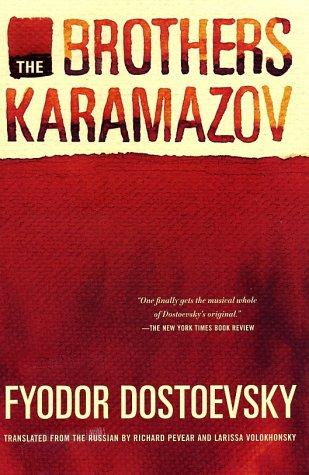
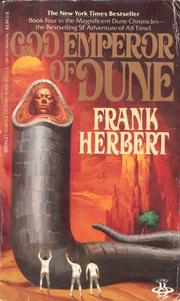
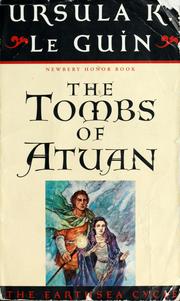

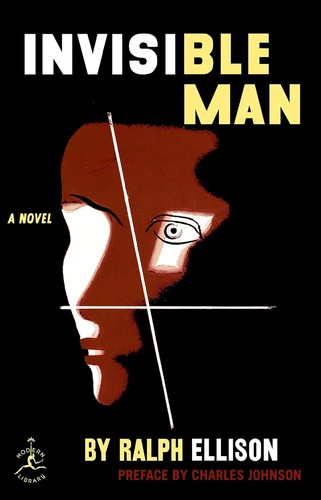
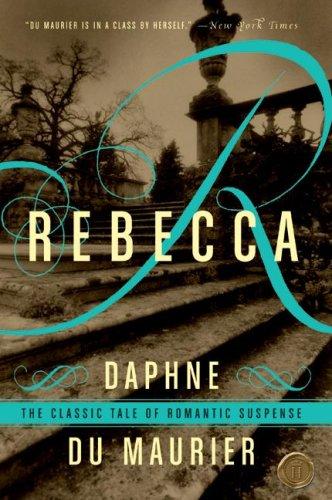
Medium priority 7


Low priority 8

5. Finch, the cheapest way to own a book
Finch is a price optimizer. It finds real prices and picks the cheapest way to own each book, whether used or new, hardcover, softcover or leather bound, with shipping added. It returns an ordered plan with totals, best deal first, built from your own lists such as the wishlist, and it never plans a book you already own.
Bookloft does not sell the books. Finch finds the deal and sends you to the seller, so the product stays a library and not a shop.
Gödel, Escher, BachDouglas R. Hofstadter · Basic Books, paperback Searching the sources
listings readBest deals
How it is built
Bookloft is a web app that opens in the browser on a computer or a phone, with nothing to install. Every scan, photo and import ends in a list you check, and nothing is added without you. Bulk edits, deletes and imports can be undone, back through the recent actions.
Octavia is the AI part. She sees only what a question needs, and the questions that do not need AI (where is it, do I own it, what is by this author, what is lent out) are answered from the catalog itself.
6. Where the AI is, and the rule it works under
Most of Bookloft is ordinary software. The AI does three jobs, and for each one what it may do was decided in advance. Everything that does not need AI is answered from the catalog itself.
| Job | What the model does | The rule it works under |
|---|---|---|
| Octavia’s answers and picks | Answers questions in a few sentences, suggests what to read next from your own shelves and finds the gaps in your sets | She works only from your catalog and says when she can’t see something. She sees only what a question needs, namely titles, authors, categories and reading status, and shelf locations only when you ask where something is. Your notes, prices and orders are never sent. She never suggests a book you own, have on order or have on your wishlist. The rule is in her instructions and the app enforces it a second time. |
| Reading spines from a video | Reads titles and authors from the sharpest frames | One rule is written into the reader’s instructions, never to invent a book. Each read is labelled high, medium or low confidence and shows the words that were visible, and nothing is added until you check the list. |
| Looking up details | None. Publisher, year and ISBN come from public book databases | You review them before they are saved, and only empty fields are filled. A looked-up edition may not be the one on your shelf, which is why you approve it. |
Sent with it
Titles and authorsGenresReading statusShelves, because you asked whereNever sent
Your notesPrices and receiptsPhotosWho has borrowed whatThese do not use AI, and they are “Do I own this?” (a check against your own catalog that works with AI switched off), where a book is, what is by an author, what is lent out, and the collection’s value, which is arithmetic on the catalog and is labelled as an estimate.
Questions people ask
What if it misreads a spine?
Nothing is added until you check the list. Unsure reads start unticked and show the words that were read, so you can correct or skip them.
What about old books with no barcode?
Photograph the cover, the title page or the copyright page. It goes through the same confidence label and the same check.
Will it catch a book I own under another title?
Yes, once the two are linked. “Do I own this?” checks other titles of the same book, close spellings and ISBNs, and it warns you about duplicates when you add one.
Does it track my reading too?
Lightly. Each book can carry a reading status, a rating and dates, and Octavia uses reading status when she answers. Bookloft starts from what you own.
Can I use the value for insurance?
As a starting record, yes. It keeps titles, editions, condition, photos and receipts together with an estimate. It is not an appraisal.
Add books
Check the list
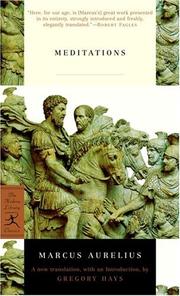
- MeditationsMarcus AureliusClear read
- WaldenHenry David ThoreauClear read
- MiddlemarchGeorge EliotClear read
Results, what I learned and what is next
This section says what works today and where its limits are. It reports no numbers. Nothing about it has been measured on real home bookcases.
| What | What it does | Where it stops |
|---|---|---|
| The home library in the browser | Video scan, Octavia, “Do I own this?”, shelves and the catalog record for each book work end to end in the browser. Shown here on a sample library. | Opens on a computer or a phone with nothing to install. |
| The shelf scan | Works end to end on a short pan along a shelf | A whole bookcase filmed on a phone has not been measured, and neither has how many spines are read without help. |
| Spine reading | Each read carries a confidence label and the words that were seen; nothing is added until you check the list | Accuracy on real home bookcases is not claimed. |
| Telling you about new books | Designed, not built | Notifying a reader when an author on their shelves publishes a new book is a planned feature. |
What I learned
- A catalog that admits doubt is more useful than one that guesses. A confidence label and the words that were read let the person decide.
- A model rating its own reads is not an accuracy measure, so none is claimed.
- Starting from what you own, not what you have read, decides most of the rest of the product.
What I would do next
- Measure how a whole bookcase filmed on a phone is read, and how many spines are read without help.
- Build the feature that tells a reader when an author on their shelves publishes a new book.
- Test whether anyone other than me finds it useful. That has not been tested.
Reports
Each report below says what it covers and what it does not.
- What the prototype proved. What my own single-user prototype showed, and what it did not.
- The quality and review notes. How the web app was checked and reviewed.
What the prototype proved
Bookloft comes out of a single-user prototype I built and ran on my own library. This note records what it showed, which was that a video scan of a shelf worked end to end, a three-source details match worked as a cascade accepted only after review, a value model learned from my own prices, and Octavia’s prompts and the rule that she sees only what a question needs. What came across to the product was the ideas and the logic, rewritten for a web app with accounts. No data, photos or backups came across.
It also records what it did not prove. Spine accuracy on real bookcases was never measured, a model rating itself is not an accuracy figure, and nobody but me used it. It covers the prototype, not the product.
The quality and review notes
This note summarizes how the web app was checked. Unit checks and end-to-end checks run headless at desktop and phone widths, with a sweep for sideways scrolling across widths. One smoke test ran with the real model, and it is not an accuracy figure. Three rounds of simulated reviews each looked at the design, at end users and at prospective buyers, and the scores rose from round to round as the findings were fixed. A gate runs before anything is pushed to the published branch.
It covers how the app was exercised and reviewed. The reviewers were simulated, so it says nothing about real users.